CaptionCraft guide
The best Canva apps for captions and subtitles
For most videos, start with Canva's built-in Captions: it's free and needs no app. Add a caption app from the Canva marketplace when you need something it doesn't cover, such as word-by-word highlights, bilingual subtitles or a transcript of an audio file. This guide sorts the caption apps by what they're for, using each app's own Canva listing (read October 22, 2026). We make CaptionCraft, one of the apps listed, so we stick to what the listings say and don't rank the others.
Updated October 22, 2026 · 7 min read
How we compared the apps
We searched the Canva Apps marketplace for "subtitles" and "captions" and opened every listing that captions video or audio. For each app we noted the maker, the user count shown on the listing and what its description says it does. We didn't test the other apps' output, so treat each description as the maker's claim and try the app on a short clip before you commit.
A search for "captions" also returns apps that write captions for images or social posts, not subtitles for speech. They're listed separately below, so you don't install the wrong one.

Canva caption apps at a glance
User counts are the figures shown on each listing on October 22, 2026. They show how many people added an app, not how good it is.
| App | Made by | What its listing says | Users |
|---|---|---|---|
| Canva Captions (built in) | Canva | Auto captions with 20+ style packs, editable text and timing, translation | Built in |
| Subtitles | Autopilot | Add subtitles in seconds, with templates to match your brand | 666K |
| Translate Subtitle | Autopilot | Create subtitles and translate them into multiple languages | 522K |
| CaptionCraft | Lumina Apps | Auto-generated subtitles with customizable styles | 334K |
| Video Captions | Video Captions by Capiii | Styled captions, automatic positioning, bulk captioning, pay-as-you-go pricing | 312K |
| Animated Subtitles | Coral Solutions | Highlights spoken words dynamically, in sync with the audio | 300K |
| AI Video Subtitle | Asha | Stylish animated subtitles | 194K |
| Auto Captions | Certified Code | TikTok-style podcast captions; customize color and size | 152K |
| Subtitle Generator | Transmonkey | Generate, translate, edit text and timing, style, render | 123K |
| Subtitles Co. | Alex Rosier | Subtitle editing, live preview, animations, 300+ fonts, 99+ languages | 98K |
| Styled Subtitles | creator-tool | Popular animations, your own fonts, reusable style presets | 70K |
| Bilingual Subtitle | Bilingual Subtitle Team | Bilingual subtitles in 16 languages, including Chinese, Japanese and Korean | 6K |
| Transcribe Audio | SRB | Text transcript from an mp3, wav, m4a or ogg audio file | 774K |
Start with Canva's built-in Captions
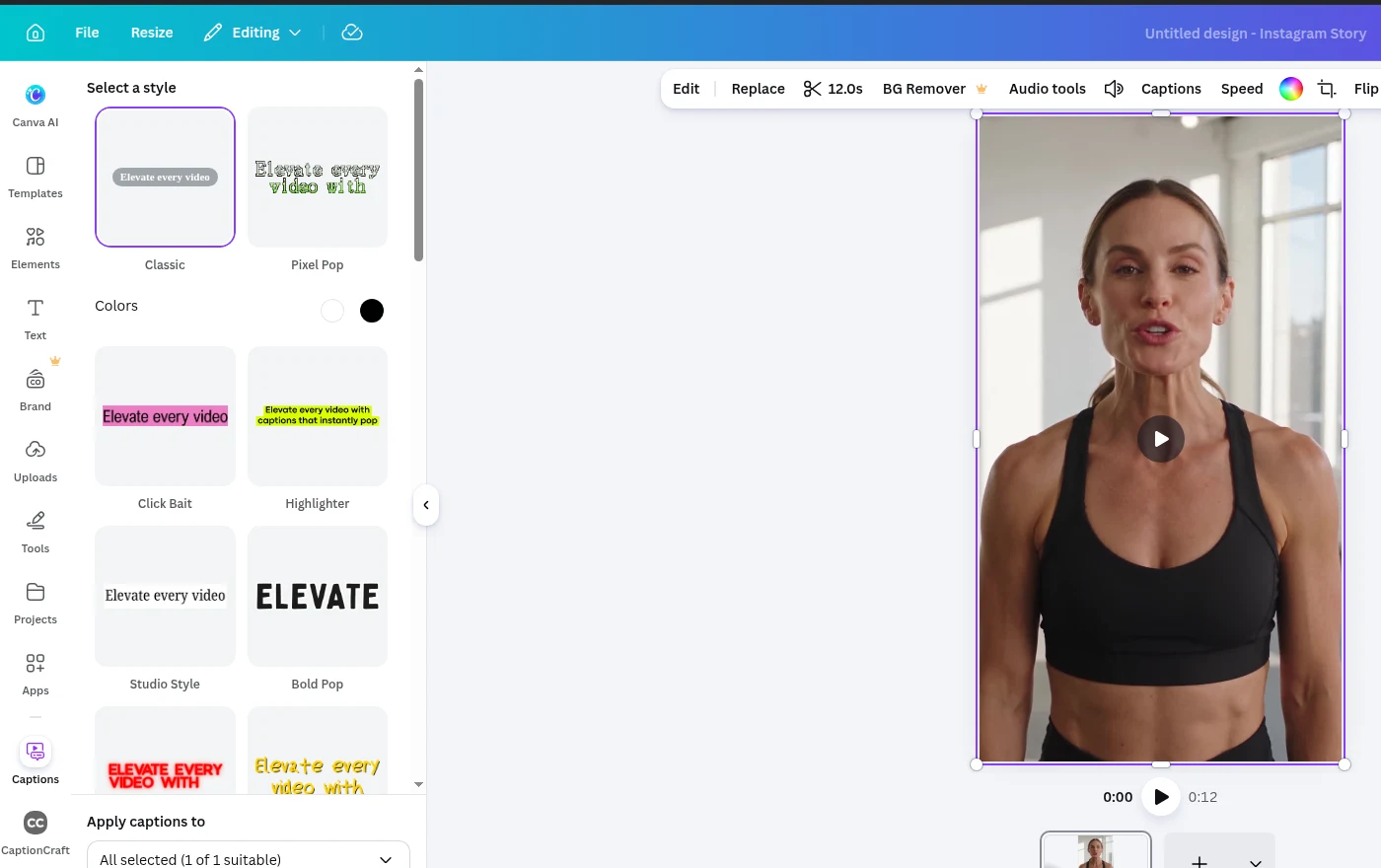
Canva's own Captions tool covers the basics without an app. Select the video and click Captions in the toolbar, pick one of more than 20 style packs, then click Generate captions. The captions land on the timeline, where you can edit their text and timing. Canva lists 57 languages and can translate captions into another language, and it promotes the feature as free.
If a style pack looks right for your video, you may not need anything else. Our step-by-step guide shows how to add auto captions in Canva.
Apps for animated and word-by-word captions
This is the largest group. These apps are for short social videos, where captions are part of the design and often follow the speaker word by word.
- CaptionCraft (our app) transcribes the speech, lets you edit each caption's text and timing down to single words, and offers 16 templates, from plain subtitles to Karaoke and Highlight. Font, colors, outline, shadow, background, position and size apply to every caption at once, with a live preview before you render. See all 16 in our caption styles gallery.
- Animated Subtitles says it highlights spoken words dynamically, in sync with the audio.
- AI Video Subtitle describes stylish animated subtitles with moving text.
- Auto Captions describes TikTok-style podcast captions with adjustable color and size.
- Styled Subtitles mentions popular animations, uploading your own fonts and presets you can apply to any video.
- Subtitles Co. lists subtitle editing, a live preview, animations, 300+ fonts and 99+ languages.
- Subtitles and Video Captions both offer styled captions; Video Captions also lists automatic positioning, bulk captioning and pay-as-you-go pricing with no subscription.
Apps for translated and bilingual subtitles
If your audience speaks another language, you need translation, not only transcription. Canva's built-in Captions can translate when it generates them. Three apps also list translation:
- Subtitle Generator describes the full loop: generate subtitles from speech, translate them into a selected language, edit text and timing, style them, then render the video into your design.
- Translate Subtitle is described as creating subtitles and translating them into multiple languages.
- Bilingual Subtitle transcribes speech into bilingual subtitles in 16 languages, including Chinese, Japanese and Korean, and renders them onto the video.
- CaptionCraft recognizes speech in more than 100 languages but doesn't translate. For captions in the spoken language, see multilingual subtitles in Canva.
Apps that sound like caption apps but do something else
"Caption" means two things in Canva's marketplace: subtitles for speech, and text written for an image or a social post. These apps came up in our searches but don't subtitle video speech, according to their own listings:
- Transcribe Audio turns an uploaded audio file (mp3, wav, m4a or ogg) into a text transcript. Useful if you have a podcast file and want to place the text yourself, but it doesn't time captions to a video.
- AI Captions generates animated captions, headlines, taglines, labels and callouts to boost image engagement. Despite the name, its listing doesn't mention transcribing speech.
- Captions, Image Insight and OpenRep describe captions for images or social media posts.
Which one should you use?
Pick by what the video needs, then test one or two options on the same short clip. Caption apps are separate from each other, so trying several costs nothing but a few minutes.
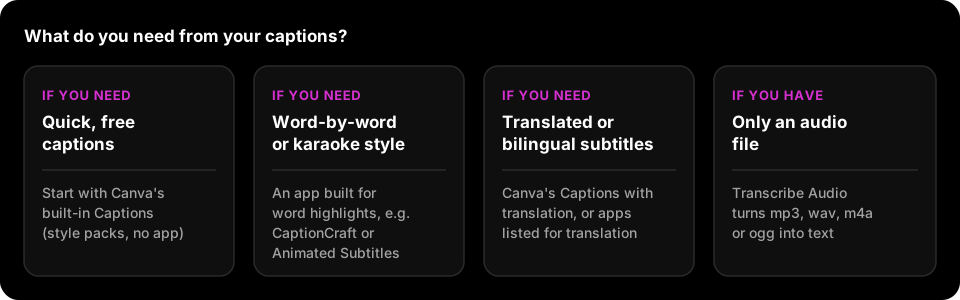
- Quick captions for a one-off video: Canva's built-in Captions.
- Word-by-word highlights, karaoke fills or a consistent look across a series: an app built for animated captions, such as CaptionCraft or Animated Subtitles. Our guide to styling video captions in Canva covers readability.
- Captions in another language: Canva's translation, or Subtitle Generator, Translate Subtitle or Bilingual Subtitle.
- A podcast audio file, no video yet: Transcribe Audio.
How to add a caption app in Canva
Every app in this list installs the same way, from inside the editor.
- 1
Open your video design
Open the Canva design that contains the video you want to caption.
- 2
Search the Apps panel
Click Apps in the left panel and search for the app's name, or for "subtitles" to browse.
- 3
Open the app and follow its flow
Click the app to open it in the side panel. In CaptionCraft, for example, you click Export, review the subtitles, pick a template and render.
Sources
- Generate and animate captions in Canva (Canva Help Center)
Frequently asked questions
What is the best app for adding captions to videos in Canva?
It depends on the video. Canva's built-in Captions is free and enough for many videos. For word-by-word or karaoke captions, use an app built for animated captions; for translated subtitles, use Canva's translation or an app listed for translation.
Does Canva have free auto captions?
Yes. Canva has a built-in Captions tool in the video toolbar that generates captions from speech, and Canva promotes it as free.
Which Canva app translates subtitles?
Canva's built-in Captions can translate into another language. In the marketplace, Subtitle Generator, Translate Subtitle and Bilingual Subtitle all list translation on their Canva listings.
Is CaptionCraft made by Canva?
No. CaptionCraft is made by Lumina Apps and runs inside the Canva editor. It's free to install, with paid plans for more captioning time.
Why does the AI Captions app not subtitle my video?
Its Canva listing describes AI-written captions, headlines and labels for images, not transcribing speech. For subtitles, use Canva's Captions or a subtitle app.
Create captions directly in Canva
Generate, edit, style, preview, and export video captions with CaptionCraft.
Install CaptionCraft in Canva