Free tool
Instagram Reels safe zone checker
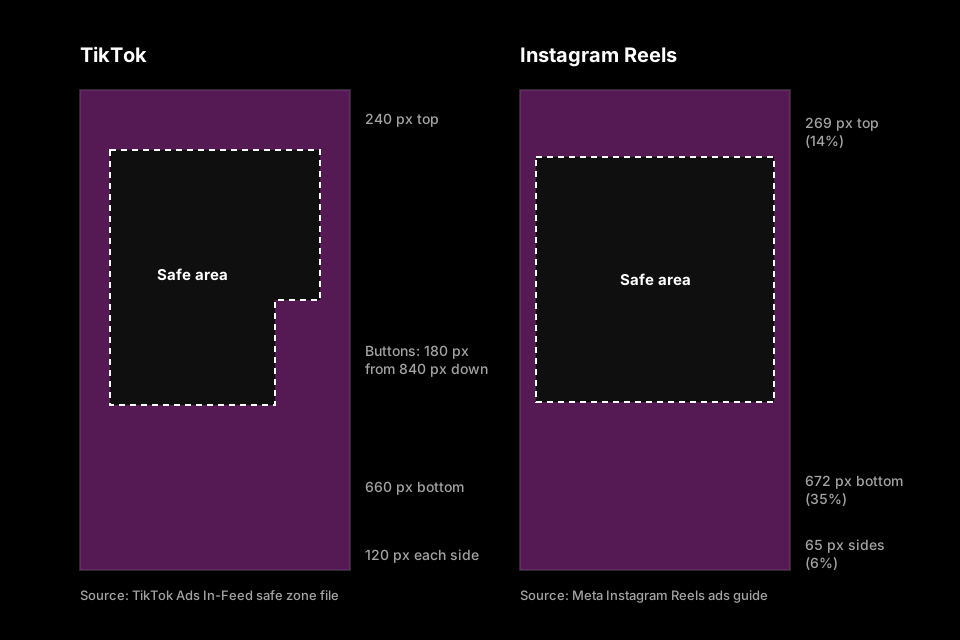
Meta's guidance for Instagram Reels is to leave at least 14% of the top, 35% of the bottom and 6% of each side free of text, logos and other key elements. On a 1080×1920 Reel that's 269 px at the top, 672 px at the bottom and 65 px on each side. Open a frame or video below to see where your captions land.
Updated October 23, 2026 · 5 min read
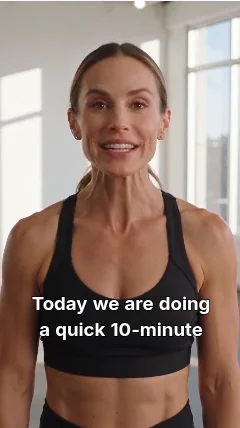
Sample: CaptionCraft preview on AI-generated demo footage
Instagram Reels margins at 1080×1920
| Top | 269 px |
|---|---|
| Bottom | 672 px |
| Left and right | 65 px each |
Red areas may be covered by the app's buttons, captions and labels. Keep captions, faces and text inside the green outline.
Runs in your browser. Your file never leaves your device.
Instagram Reels safe zone dimensions
The percentages come from Meta's ads guide for Instagram Reels. Meta's help center adds that 9:16 ads in Stories, Reels and Feed share the same safe zone guidance, so the same overlay works for a Story.
| Keep clear | Share of the frame | 1080×1920 | 720×1280 |
|---|---|---|---|
| Top | 14% | 269 px | 179 px |
| Bottom | 35% | 672 px | 448 px |
| Left and right | 6% each | 65 px each | 43 px each |
| Safe area | 88% × 51% | 950 × 979 px | 634 × 653 px |
What covers the edges of a Reel
Meta says these margins keep the key parts of a design from being cropped or covered by the interface, such as the profile icon or the call-to-action button. The bottom margin is the largest: more than a third of the frame.
Meta also notes that on phones taller than 9:16, a Reel may be zoomed to fill the screen, which crops whatever is outside the safe zone, or shown at 9:16 with black bars. For ads with disclaimers, Meta recommends leaving the bottom 40% free.
How to check a Reel before posting
Everything runs in your browser; the file stays on your device.
- 1
Open your Reel or a frame
Click Open an image or video and choose the exported MP4 or a screenshot of the busiest moment. Videos play under the overlay.
- 2
Read the red areas
Captions, faces, prices and logos should stay inside the green outline. The checker warns you when the file isn't 9:16, such as a 4:5 feed video.
- 3
Fix it in your editor
Move or shrink anything in the red, or download the overlay PNG and place it on top of your design while you edit.
Captions on Reels: what we measured
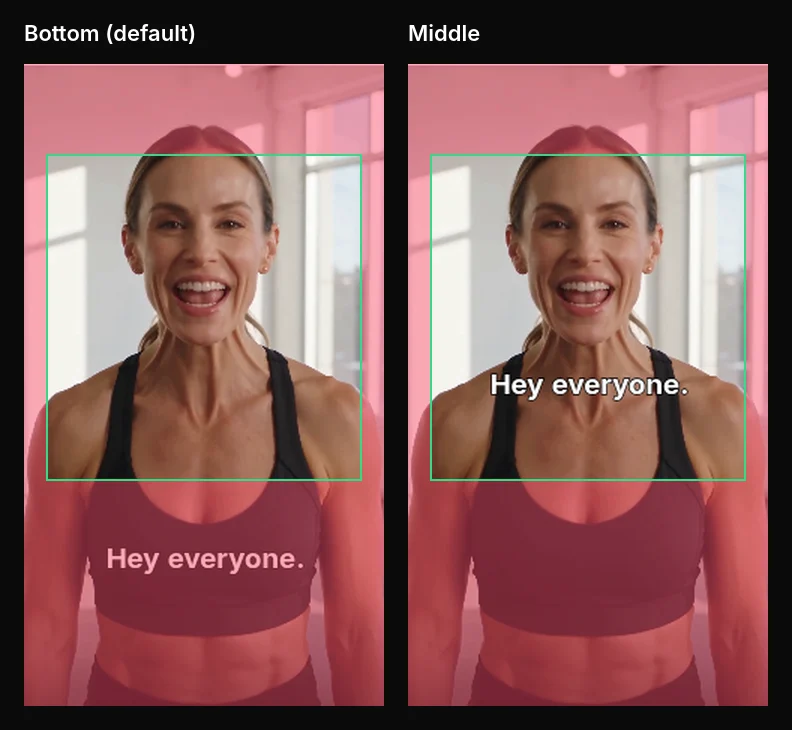
Captions are the element most often lost under the Reels interface, because subtitles traditionally sit near the bottom. We checked CaptionCraft's preview in Canva against Meta's margins. With the Classic template and the default Bottom position, the caption line sat at about 75–79% of the frame height, inside the bottom 35%. With Middle selected, it sat at about 47–54%, fully inside the safe area.
In CaptionCraft's Styles tab, the position buttons (top, middle, bottom) move every caption at once, so you only fix this once per video. Size and text width help when a line is long. More options are in the caption styles gallery.
Use the overlay in Canva
Canva's Instagram Story size is 1080×1920, the frame Reels use, so the PNG lines up with the page.
- 1
Add the PNG as a top layer
Upload instagram-reels-safe-zone-1080x1920.png from Uploads, add it to the page and stretch it to the edges.
- 2
Design inside the outline
Place titles, stickers and captions inside the green outline. If you add auto captions in Canva, set their position before you render.
- 3
Remove it before exporting
Delete the overlay before you download or export the design, or it will appear in the Reel.
Sources
- Instagram Reels video ads: design recommendations (Meta Ads Guide)
- About text overlays and the safe zone for ads on Facebook and Instagram (Meta Business Help Center)
Frequently asked questions
What is the safe zone for Instagram Reels?
Meta recommends leaving at least 14% of the top, 35% of the bottom and 6% of each side free of text and logos. On a 1080×1920 Reel that's 269 px, 672 px and 65 px.
Is the Reels safe zone the same as for Stories?
Meta's help center says 9:16 ads in Stories, Reels and Feed use the same safe zone guidance, so the same overlay works for both.
Where should captions go on a Reel?
Above the bottom 35% of the frame. Placing them around the middle keeps them clear of the username, caption and buttons.
Is my video uploaded?
No. The file opens in your browser and never leaves your device.
Does the same safe zone work for TikTok?
Not quite. TikTok keeps wider side margins and a button column on the right. Use the TikTok safe zone checker for TikTok.
Create captions directly in Canva
Generate, edit, style, preview, and export video captions with CaptionCraft.
Install CaptionCraft in Canva