CaptionCraft guide
Open captions vs closed captions: what's the difference?
Open captions are part of the video picture: they're always visible and nobody can turn them off. Closed captions are a separate track or file, such as an SRT or VTT, that viewers switch on or off with the CC button. Below: how the two differ, which one fits YouTube, TikTok, Instagram and your own site, and how to make each kind, with definitions from the W3C's accessibility guidelines.
Updated November 11, 2026 · 7 min read
The short answer
The W3C's Web Content Accessibility Guidelines (WCAG) define closed captions as captions "that can be turned on and off with some players", and open captions as "any captions that cannot be turned off", for example text embedded in the video image. Both count as captions for accessibility, as long as they include all the dialogue and important sounds.
So the difference isn't what the captions say, it's where they live. Open captions are pixels in the video, also called burned-in or hard-coded captions. Closed captions travel next to the video as data, and the player draws them on screen only when the viewer asks.
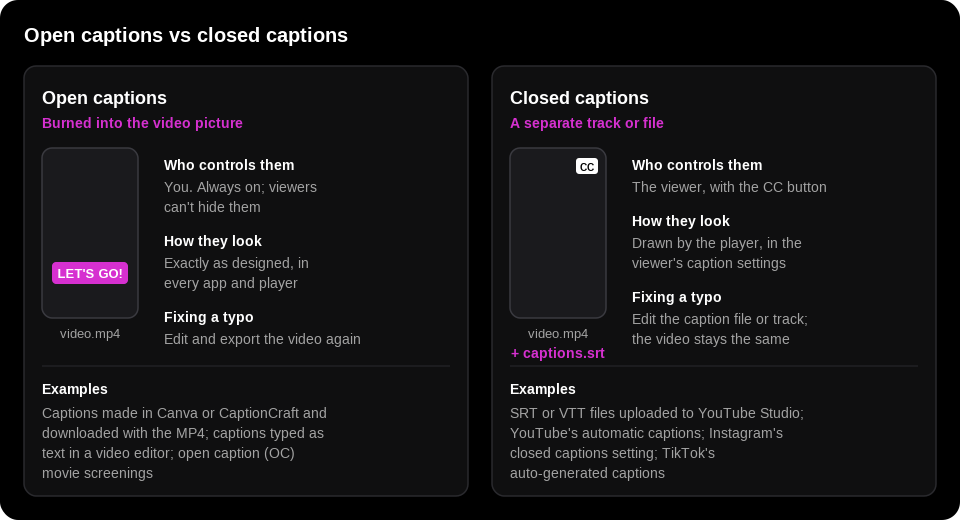
Open vs closed captions side by side
Neither kind is better in general. The right choice depends on where the video plays and who controls the player.
| Open captions | Closed captions | |
|---|---|---|
| Where they live | In the video picture | A caption track or file (SRT, VTT…) |
| Can viewers turn them off? | No | Yes, with the CC button or captions setting |
| What they look like | Exactly as you designed them | The player's style, often adjustable by the viewer |
| Need player support? | No: any player shows them | Yes: the player or platform must support captions |
| Fixing a mistake | Edit, export and upload the video again | Edit or replace the caption file |
| Several languages | One version of the video per language | Several tracks on one video |
| Typical use | Social feeds, ads, reposted clips, venue screens | YouTube, streaming, courses, your own website player |
When to use open captions
WCAG's open-captions technique gives the core reason: the captions are always visible and "no special support for captioning is required", which helps people who don't know how to turn captions on. Its example is a library association that puts captions directly into its videos for exactly that reason.
- Short social videos: a clip that autoplays in a feed, gets downloaded and reposted, or is shared in a chat app keeps its captions everywhere, because they are part of the file.
- Styled or animated captions: word-by-word highlights, karaoke fills and brand fonts need open captions; a caption track is drawn in the player's style, not yours. Browse examples in the caption styles gallery.
- Players you don't control: screens in a shop or at an event, embedded players without a CC button, or a video sent as a file.
When to use closed captions
WCAG's closed-captions technique describes the trade: viewers who need captions see them, and viewers who don't aren't made to watch them. The player has to support captions, though.
- Long videos on YouTube or a streaming platform: viewers expect a CC button, and they can change the caption size and style in their own settings.
- Several languages: one video can carry a caption track per language instead of one export per language.
- Videos you may correct later: fixing a misheard word in a caption file doesn't mean re-uploading the video.
- Your own website: the HTML <track> element only accepts WebVTT, so if you only have an SRT file, convert it with the SRT to VTT converter.
Open and closed captions on each platform
Most social apps offer both: a built-in captions feature that works like closed captions, plus whatever text is already in your video. These are the options each platform's help center describes (November 2026):
| Platform | Closed-style captions | Open captions |
|---|---|---|
| YouTube and Shorts | Automatic captions, or upload an SRT/VTT file in YouTube Studio → Subtitles; viewers use the CC button | Upload a video with captions already in it |
| TikTok | Auto-generated captions; viewers choose Show captions under Share → Captions | Text you add in TikTok's editor, or captions in the uploaded video |
| Instagram Reels | Closed captions setting under More options; viewers can always or never show them | The Captions sticker, drawn on the reel, or captions in the uploaded video |
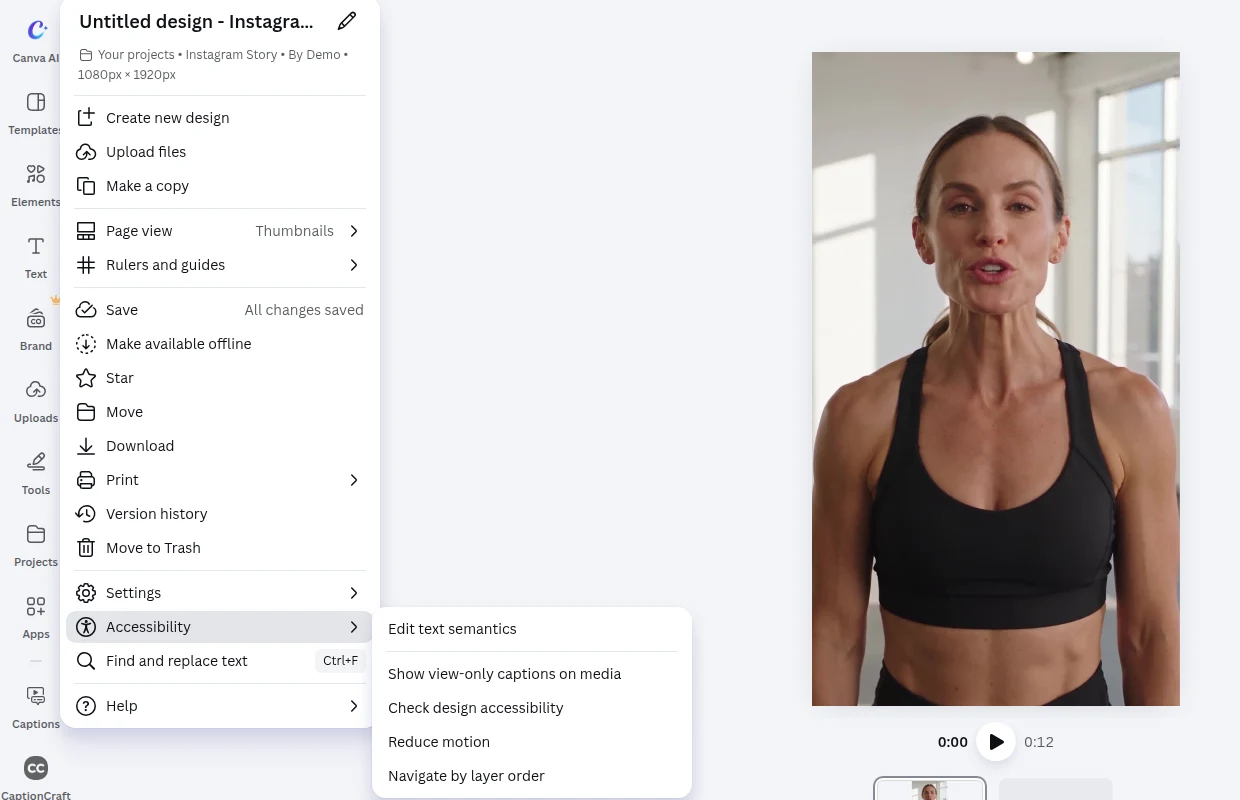
| Canva | View-only captions (File → Accessibility); they can't be downloaded or edited | Captions generated with the Captions button, downloaded with the MP4 |
How to make open captions
Any tool that writes the text into the exported video makes open captions. In Canva, select the video, click Captions in the toolbar, choose a style pack and click Generate captions; Canva's help center says these captions are downloaded with the video as an MP4. Our guide to adding subtitles in Canva walks through each screen.
For animated captions, the CaptionCraft app in Canva transcribes the speech, lets you fix the text and word timing, and renders the video with one of 16 caption templates. You then add it back to your design or download it, and the captions are part of the picture. Our Canva auto captions guide shows the steps with screenshots.
One thing to watch: if you upload a video with open captions to YouTube or TikTok, the platform may still add automatic captions of its own, so a viewer with captions on could see the words twice. Our guides for YouTube Shorts, TikTok and Instagram Reels explain where to switch those off or remove them.
How to make closed captions
Closed captions need a caption file or a platform's caption editor. YouTube Studio's Subtitles page lets you upload a file, auto-sync a transcript or type captions, and it lists SubRip (.srt) and WebVTT (.vtt) among its supported formats. To fix the text or timing of an existing file, open it in the SRT and VTT editor, which also flags lines that are too long or too fast to read; to move every line by the same delay, use the subtitle timing shifter. Both run in your browser.
Canva's caption features and CaptionCraft put the captions into the video rather than into a separate file, so for a caption track you'll need a file from another source, such as captions downloaded from YouTube Studio.
What good captions include, open or closed
Captions are more than the dialogue. WCAG says they also give the non-speech sounds needed to understand the video, such as sound effects, music, laughter and who is speaking. That's what separates captions from dialogue-only subtitles, which W3C mainly uses for translations into another language.
- Describe meaningful sounds in brackets, with their source unless it's on screen: DCMP's Captioning Key gives examples like [dog whimpering] and [siren screaming].
- Identify off-screen speakers; DCMP puts the name in parentheses on its own line, such as (Jack).
- Check automatic captions before you publish. W3C warns that machine captions often need significant editing, and a single missed word such as "not" can reverse the meaning.
- Keep lines short and on screen long enough to read: Netflix's English (USA) style guide allows 42 characters per line and two lines at most.
Sources
- Understanding Success Criterion 1.2.2: Captions (Prerecorded) (W3C Web Accessibility Initiative)
- Technique G93: Providing open (always visible) captions (W3C Web Accessibility Initiative)
- Technique G87: Providing closed captions (W3C Web Accessibility Initiative)
- Captions/Subtitles (W3C Web Accessibility Initiative)
- Captioning Key: Sound Effects and Music (DCMP)
- Captioning Key: Speaker Identification (DCMP)
- Add subtitles & captions (YouTube Help)
- Supported subtitle and closed caption files (YouTube Help)
- Manage caption settings (YouTube Help)
- Accessibility for watching videos (TikTok Help Center)
- Manage closed captions for your reels on Instagram (Instagram Help Center)
- Manage reels and video captions (Instagram Help Center)
- <track>: The Embed Text Track element (MDN Web Docs)
- Generate and animate captions in Canva (Canva Help Center)
- Enable accessibility or view-only captions on videos and audio (Canva Help Center)
- English (USA) Timed Text Style Guide (Netflix Partner Help Center)
Frequently asked questions
What does open captions mean?
Open captions are captions that are part of the video image and can't be turned off. Everyone watching sees them, in any player.
What's the difference between closed captioning and open captioning?
Closed captions are a separate track that viewers turn on or off, and the player draws them. Open captions are burned into the video, always visible, and look exactly as designed.
What does CC mean on videos?
CC stands for closed captions. The CC button turns a video's caption track on or off; if a video has no caption track, there's nothing for it to show, and captions burned into the video stay on either way.
Are subtitles the same as closed captions?
Not quite. W3C uses captions for same-language text that includes important sounds, and subtitles for spoken dialogue translated into another language, though some regions call both subtitles. Either can be open or closed; see closed captions vs subtitles for the full comparison, SDH included.
What is an open caption movie screening?
It's a showing where the captions are projected on screen for the whole audience, the same idea as open captions in a video. Check the theater's listing for OC or open caption showtimes.
Are Canva captions open or closed?
Captions made with Canva's Captions button download as part of the MP4, so they're open captions. Canva's separate view-only captions can be switched on in Canva but can't be downloaded.
Create captions directly in Canva
Generate, edit, style, preview, and export video captions with CaptionCraft.
Install CaptionCraft in Canva